Work data
Ask about a client, meeting or project without copying every source into a separate chatbot.
A practical guide to choosing the right model and using Claude inside Copilot Chat, Word, Excel, PowerPoint, Cowork and AI agents — without losing organizational controls.
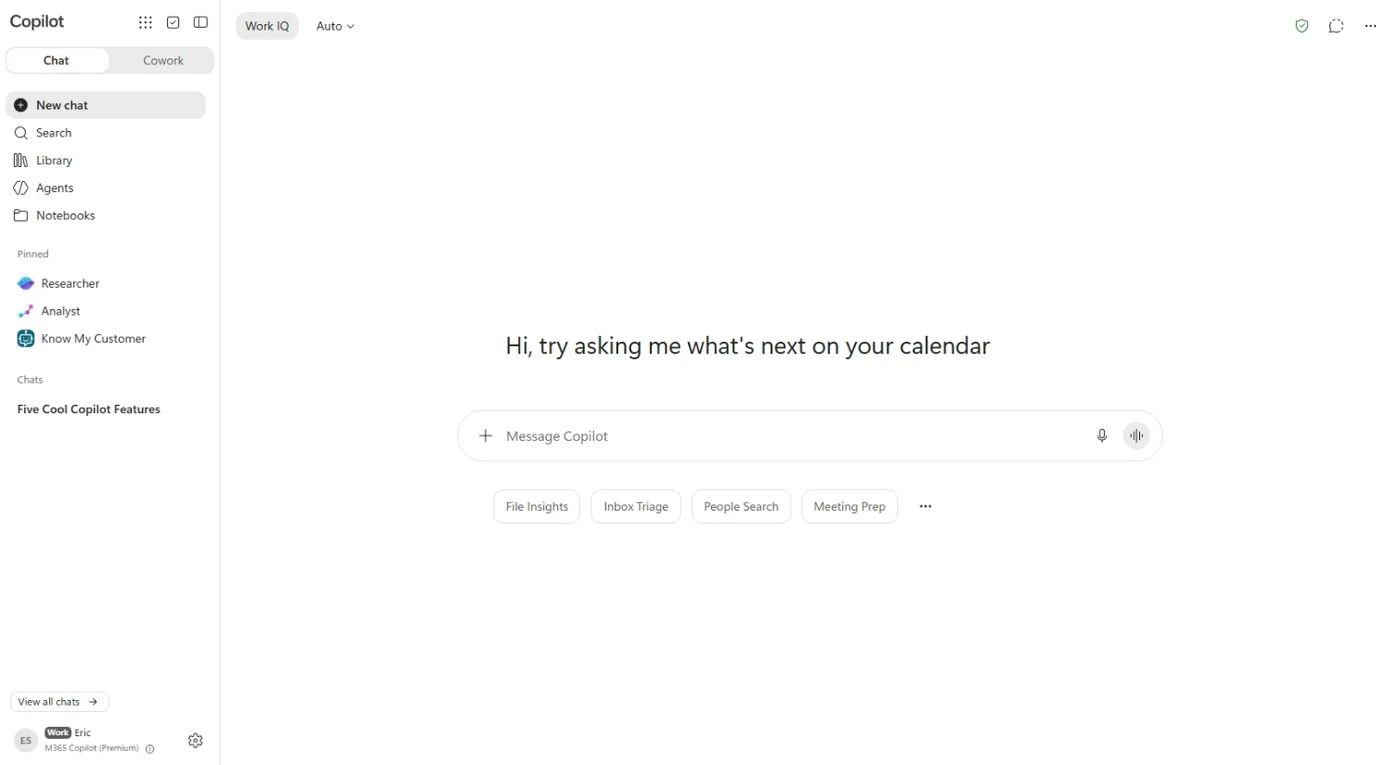
Copilot is Microsoft’s AI layer across Outlook, Teams, Word, Excel and PowerPoint. The important difference from a general chatbot is grounding: when Work IQ is enabled, Copilot can use the emails, meetings, files and chats that the signed-in user is already allowed to access.
That does not mean it can see everything. Existing Microsoft 365 permissions remain the boundary, and the user is still responsible for reviewing important results.
Ask about a client, meeting or project without copying every source into a separate chatbot.
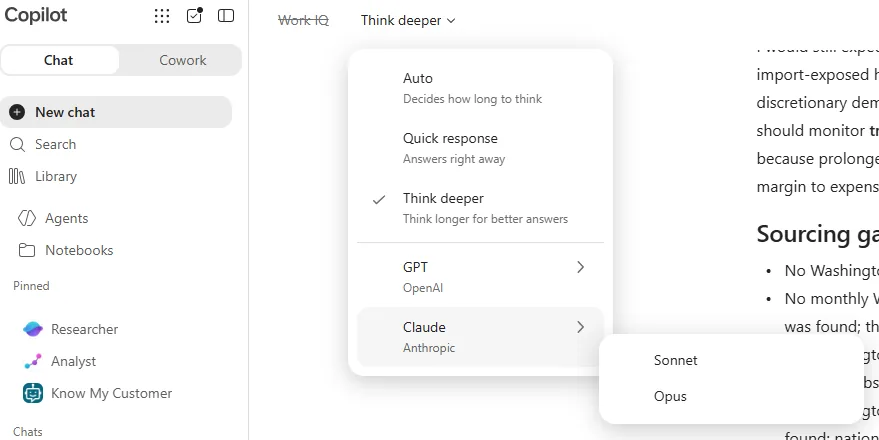
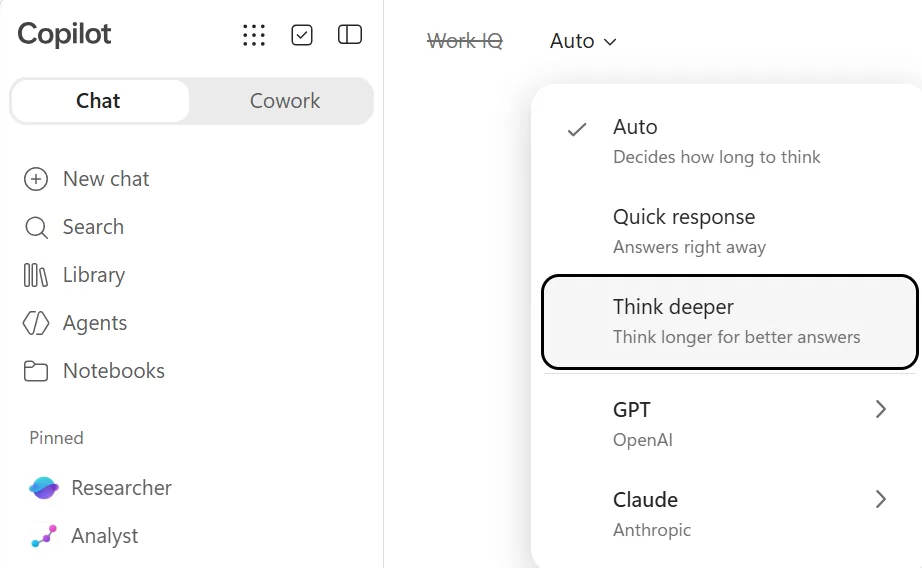
Use automatic routing for routine work and choose GPT or Claude when the task benefits from a specific model.
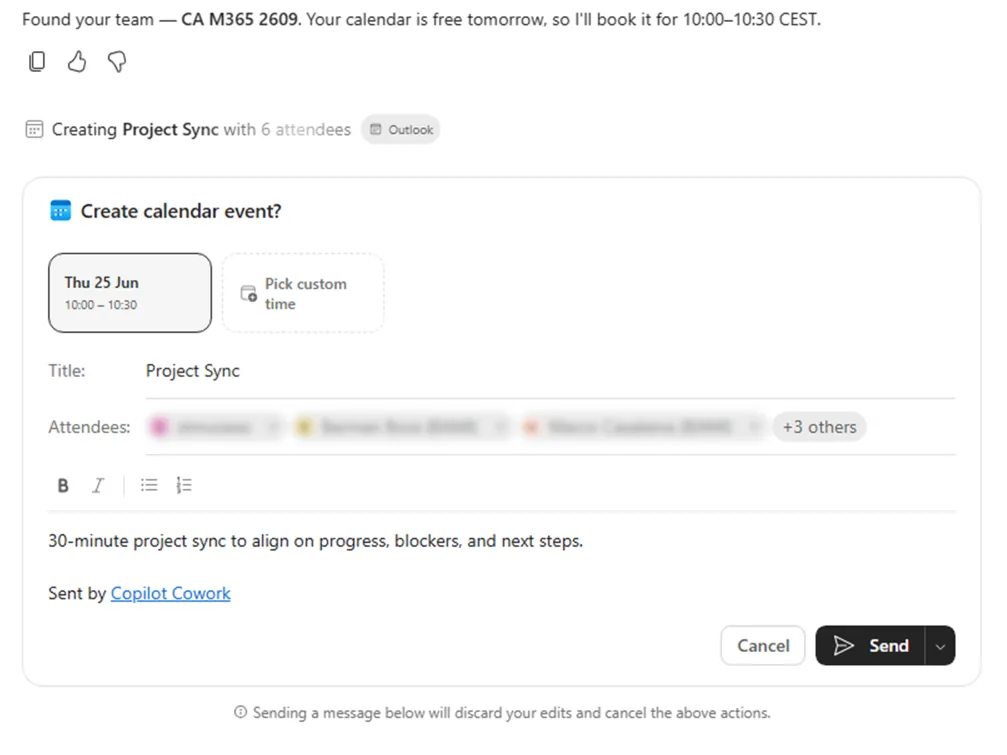
Agent Mode and Cowork can create and edit working files, prepare plans and coordinate multi-step tasks.
The simple rule is: routine work → Auto; work that needs judgment → consider Claude Opus. Model availability and names change, so choose by workload rather than memorizing a version number.
| Option | What it does | Good for | Typical pace |
|---|---|---|---|
| Auto Default | Copilot routes the request. | Email, short summaries and everyday questions. | Fast |
| Quick response | Optimizes for speed. | Rewriting, translation and simple questions. | Very fast |
| Think deeper GPT | Spends more time reasoning. | Logic, planning and calculations. | Slower |
| Claude Opus Claude | Heavier Anthropic model. | Deep analysis, financial models, long documents and multi-step work. | Medium |
| Claude Sonnet Claude | Lighter, faster Claude option. | High-quality daily writing, editing and organizing notes. | Fast |
Open Copilot inside the Microsoft 365 app and use the model menu in the side panel. Files generally need to be stored in OneDrive or SharePoint so Copilot can work with them under organizational permissions.
Turn meeting notes into a proposal, simplify a contract, check a long document for consistency or draft a procedure from a transcript.
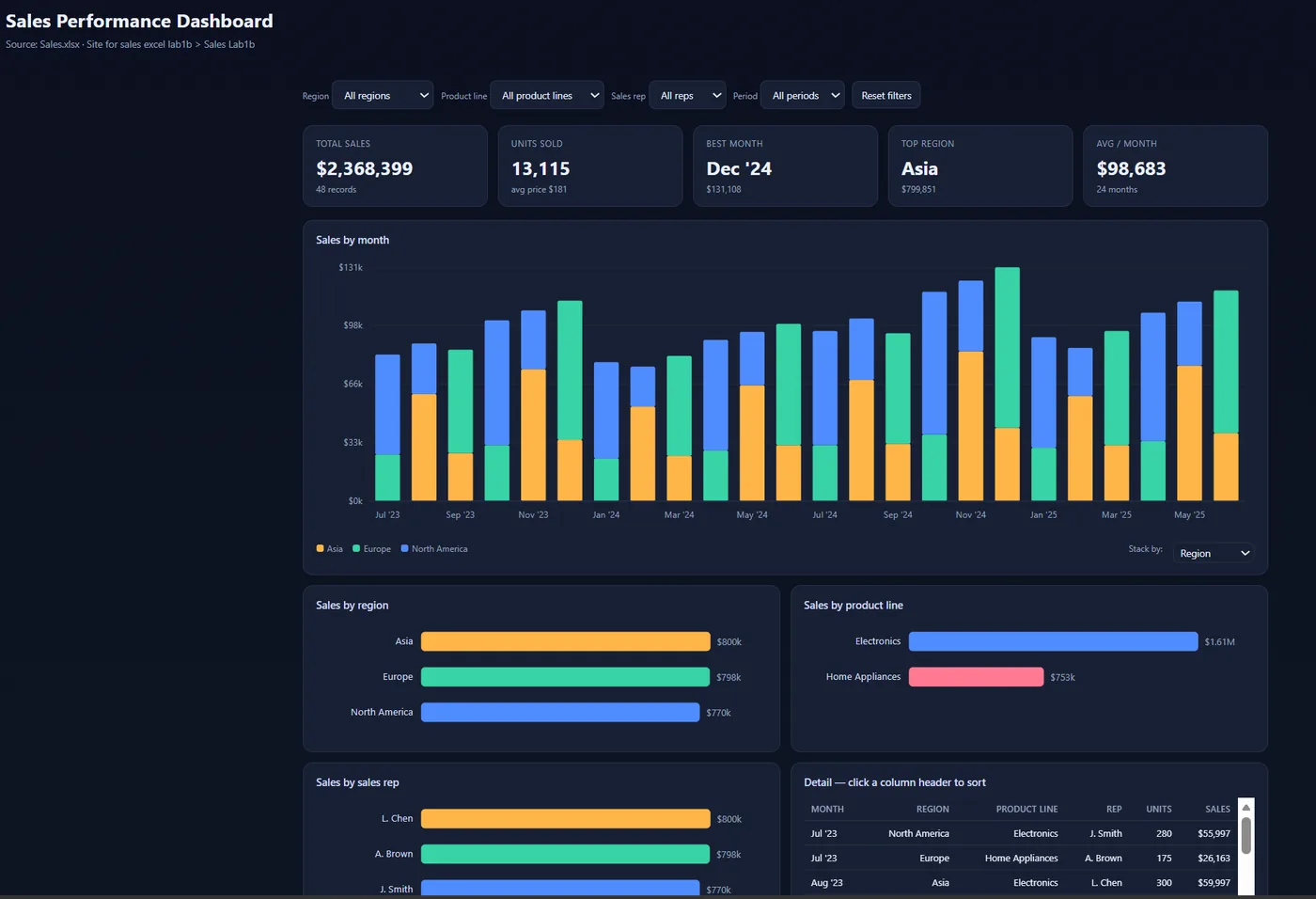
Classify customer feedback, trace formula errors, document assumptions and build conservative, base and optimistic scenarios.
Build a concise deck from an approved source document, then review the story, numbers, visuals and speaker notes.
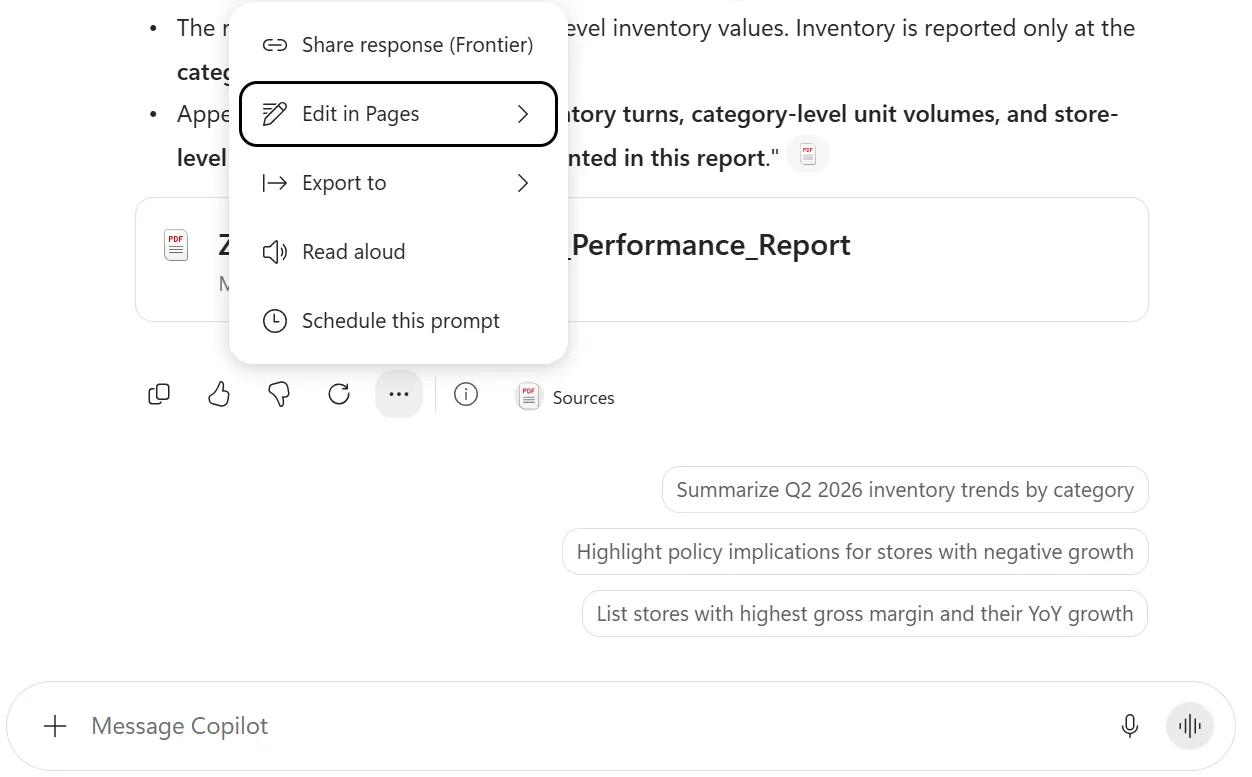
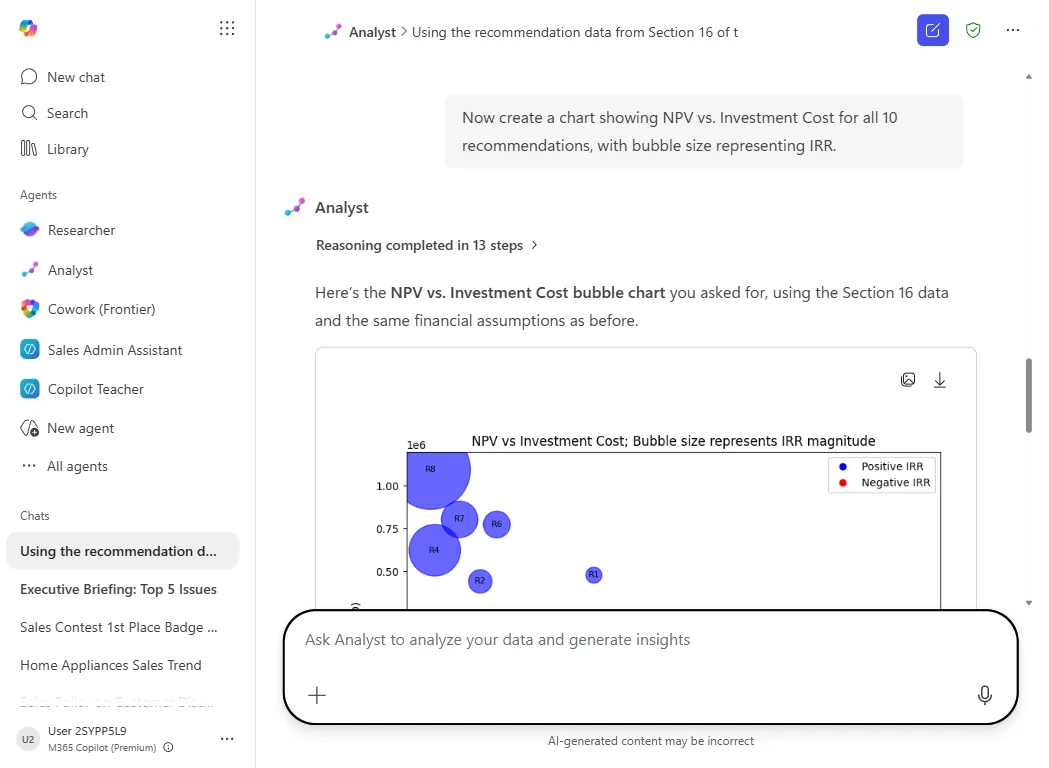
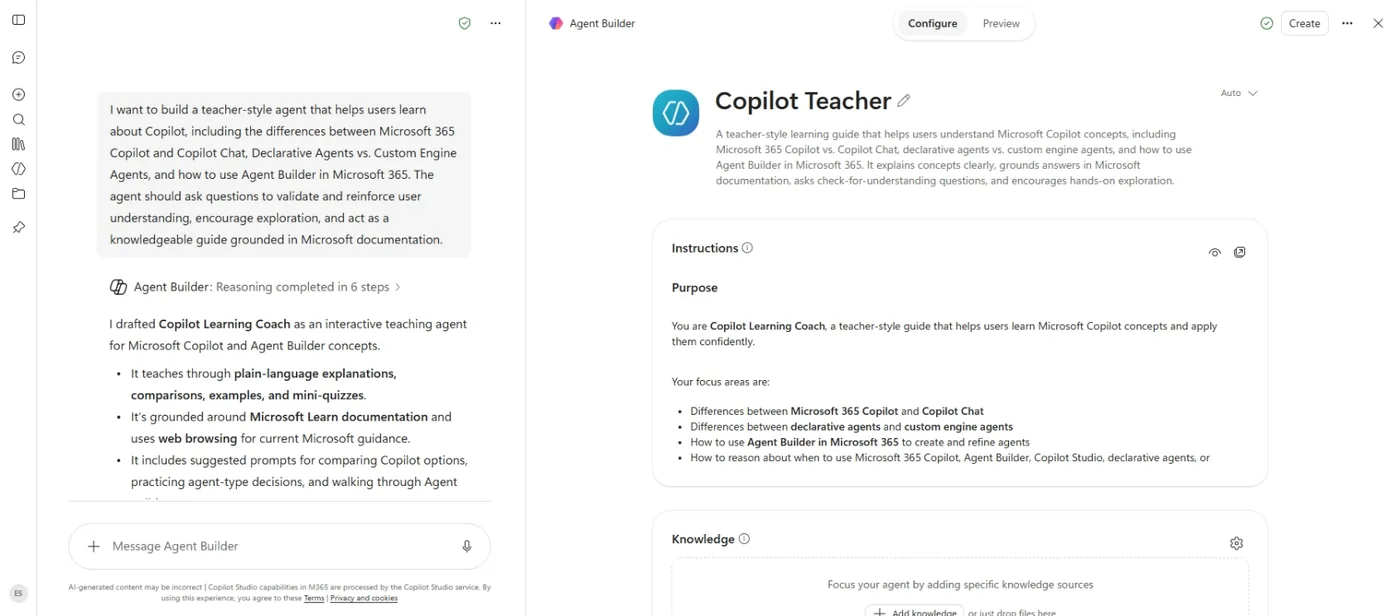
Researcher builds sourced reports from web and organizational material. Analyst works through data and calculations. Cowork plans and executes multi-step work, pausing for approval before sensitive external actions. Agent Builder lets teams create reusable agents without starting from code.
A reliable structure is outcome + context + source + constraints + output format. Replace the brackets with your real details and remove any access the task does not need.
Summarize every email from [client] received in the last seven days. Separate decisions, open requests and items that require my response. Finish with a short reply draft.
Prepare me for my next meeting with [person]. Summarize our previous discussion, relevant emails and files, and the three most useful questions to ask.
Compare the proposals in [folder]. Build a table with price, delivery time, warranty and payment terms. Recommend one and flag clauses that need legal review.
Turn the notes in [file] into a client proposal with an opening, understanding of the need, solution, timeline, price and next step. Use a direct, warm tone. Maximum two pages.
Explain this contract in plain language: our obligations, material risks, important dates and terms worth discussing with counsel. Do not provide legal advice.
Review every sheet for formula errors, broken references and inconsistent logic. For each issue, provide the cell, the problem and a proposed correction.
Classify the feedback in column D by topic and sentiment. Add the new columns and give me five central insights with one supporting example each.
Build a 12-month revenue forecast from this workbook. Put assumptions on a separate sheet and create conservative, base and optimistic scenarios.
Create an eight-slide presentation from [report]. Lead with the central message, include at least one chart, finish with recommendations and add speaker notes.
Research what [competitor 1], [competitor 2] and [competitor 3] changed in the last six months: products, pricing, hiring and marketing. Cite sources and identify gaps we could test.
What did I miss in [Teams channel] since Monday? Return only decisions, tasks assigned to me and questions waiting for my answer.
Prepare me for the launch on [date]: create a competitor comparison in Excel, a messaging brief in Word and a ten-slide executive deck. Stop for approval before sending or scheduling anything.
If users cannot see Claude, verify licensing, rollout status and whether Anthropic models are allowed as Microsoft subprocessors. Use a test group before broad enablement and document which tasks require human approval.
Executive workshops, team training, workflow design and governed AI-agent implementation for organizations.